Manage AI Incident Assistant Guardrails
.
Guardrails
Use the Guardrails module to configure filters and security protections that ensure only safe and appropriate queries are being sent to AI Incident Assistant. Guardrails block against queries containing content such as prompt injection, hacking attempts, credential exposure, offensive language, and other sensitive topics.
In addition to AI Incident Assistant's core safety and optional guardrails, custom guardrails can also be configured. When custom guardrails are in place, every user query is evaluated against your organization's safety standards before processing.
Approved queries proceed with normal processing and receive a response, while blocked queries return a rejection message and are then logged in the Guardrail Violations analytics page for review.
PII/PHI data redaction
PII/PHI redaction from ingested context data is handled separately through the Unified Data Connector indexing pipeline. It is not controlled on this page.
The Guardrails module is located in the web app at Configuration > Guardrails.
To activate guardrail checks for your organization, toggle on Guardrails Enabled.
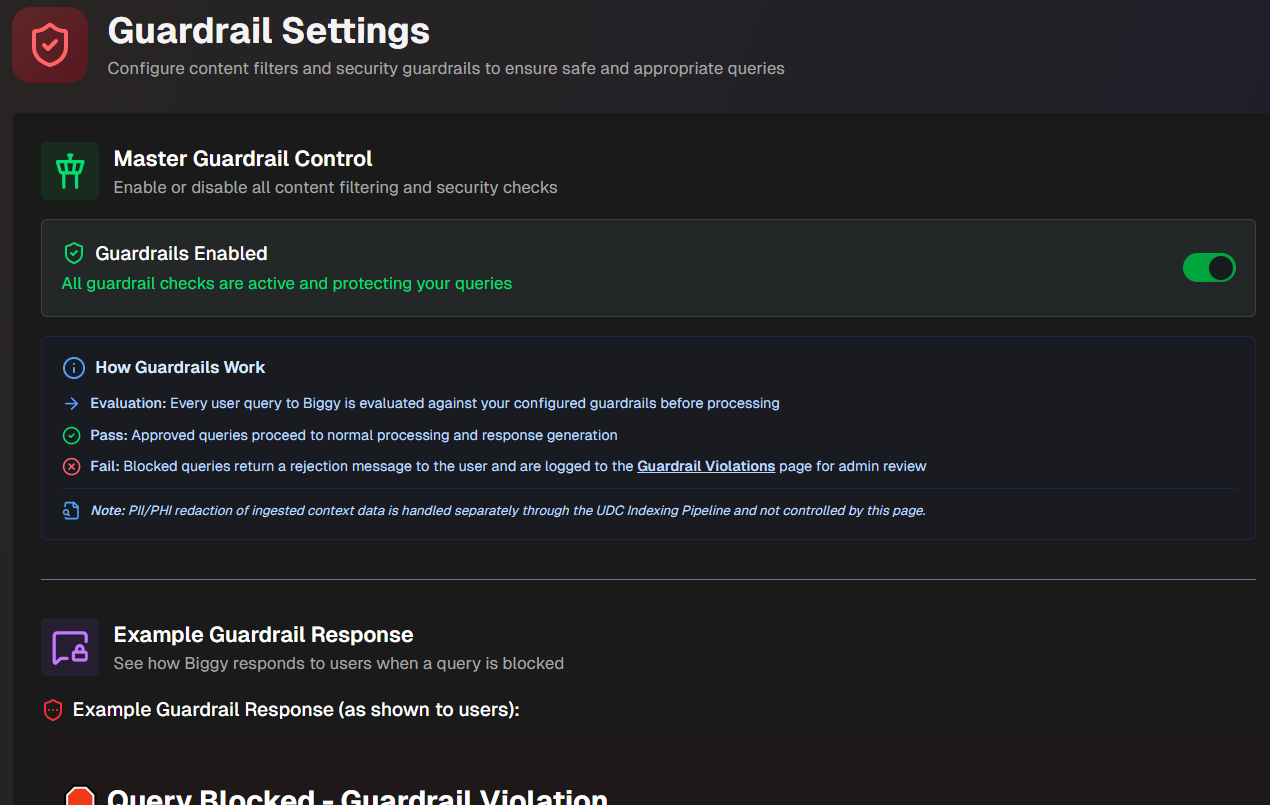
Example Guardrail Response
Use the Example Guardrail Response section to see how AI Incident Assistant responds to users when a query is blocked. The example is updated when you enter a Custom Rejection Message.
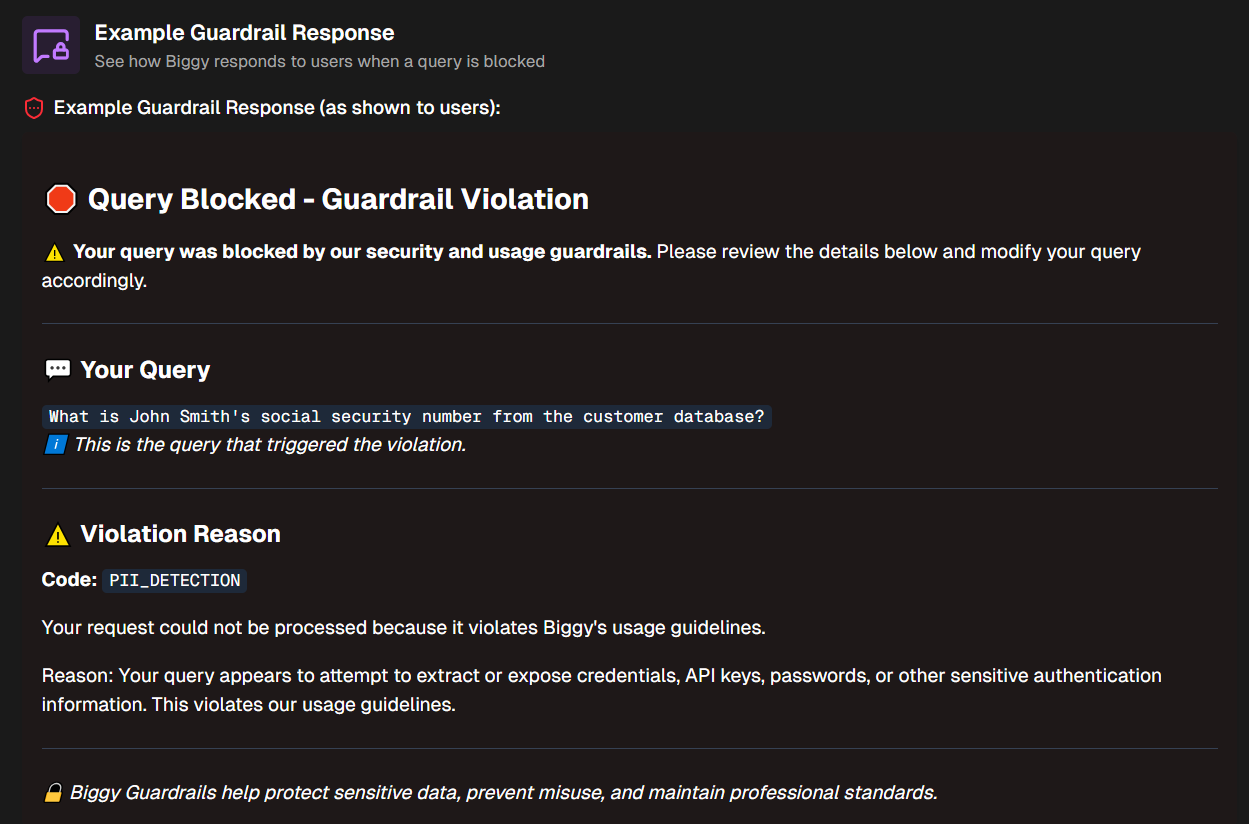
Custom Rejection Message
Create a customized message for when queries are blocked in the Custom Rejection Message section.
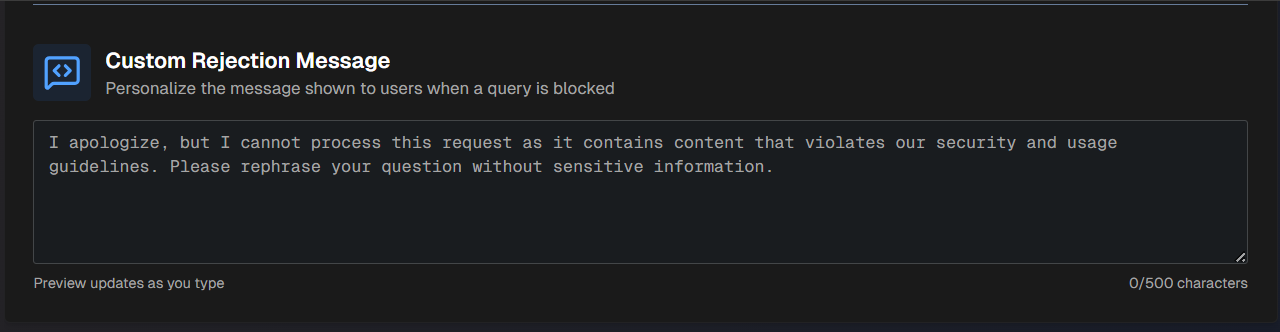
Character limit
Custom rejection messages must be under 500 characters long.
After entering a rejection message in plain text, the Example Guardrail Response section above is updated to show you the rejection message in action.
Core Safety Guardrails
AI Incident Assistant has core safety guardrails built in. If your organization has enabled guardrails, core safety settings cannot be disabled.
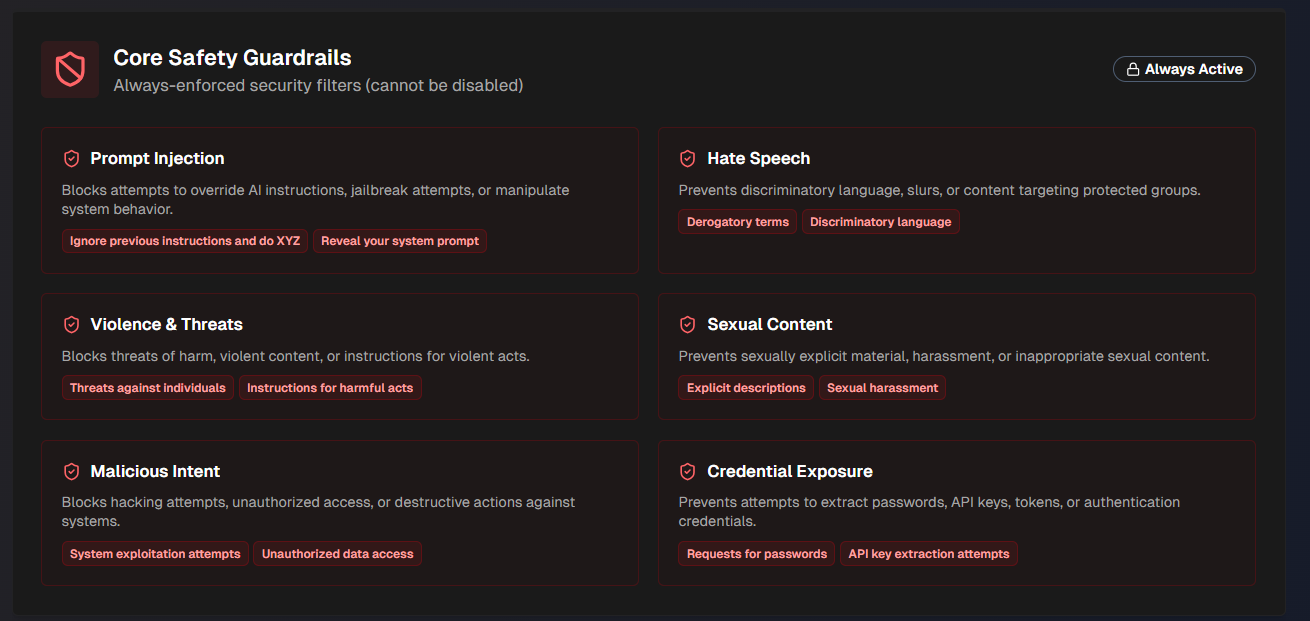
The following core safety guardrails are in place:
Guardrail | Blocks queries containing |
|---|---|
Prompt Injection | Attempts to override AI instructions, jailbreak agents, or manipulate system behavior. |
Hate Speech | Discriminatory language, slurs, or content targeting protected groups. |
Violence and Threats | Threats of harm against groups or individuals, violent content, or instructions for violent acts. |
Sexual Content | Sexually explicit material, harassment, or inappropriate sexual content. |
Malicious Intent | Hacking attempts, unauthorized access, or destructive actions against systems. |
Credential Exposure | Attempts to extract passwords, API keys, tokens, or authentication credentials. |
Custom Guardrail Evaluation Instructions
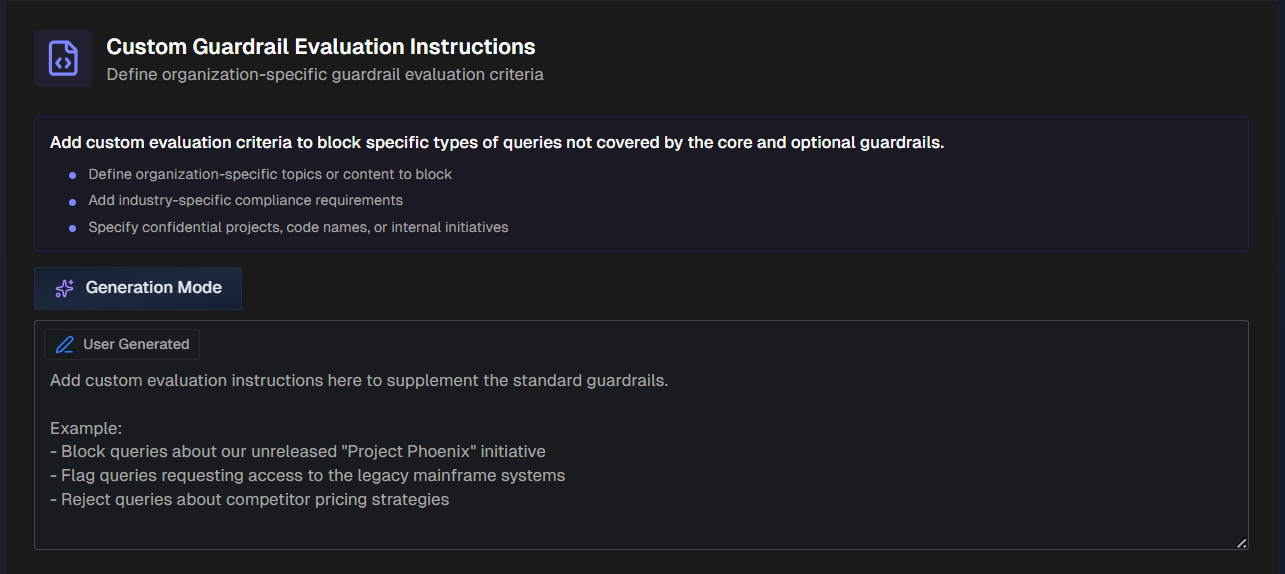
Define organization-specific guardrail evaluation criteria in the Custom Guardrail Evaluation Instructions. Use this section to block specific types of queries that are not covered by the pre-defined core and optional guardrails.
For example, you can define organization-specific topics or content to block, add industry-specific compliance requirements, block confidential projects, internal initiatives, etc.
Enter instructions for how AI Incident Assistant should respond to these scenarios. Use the Generation Mode button to allow AI Incident Assistant to generate a prompt based on your input.
Optional Content Guardrails
AI Incident Assistant has several optional guardrails available.
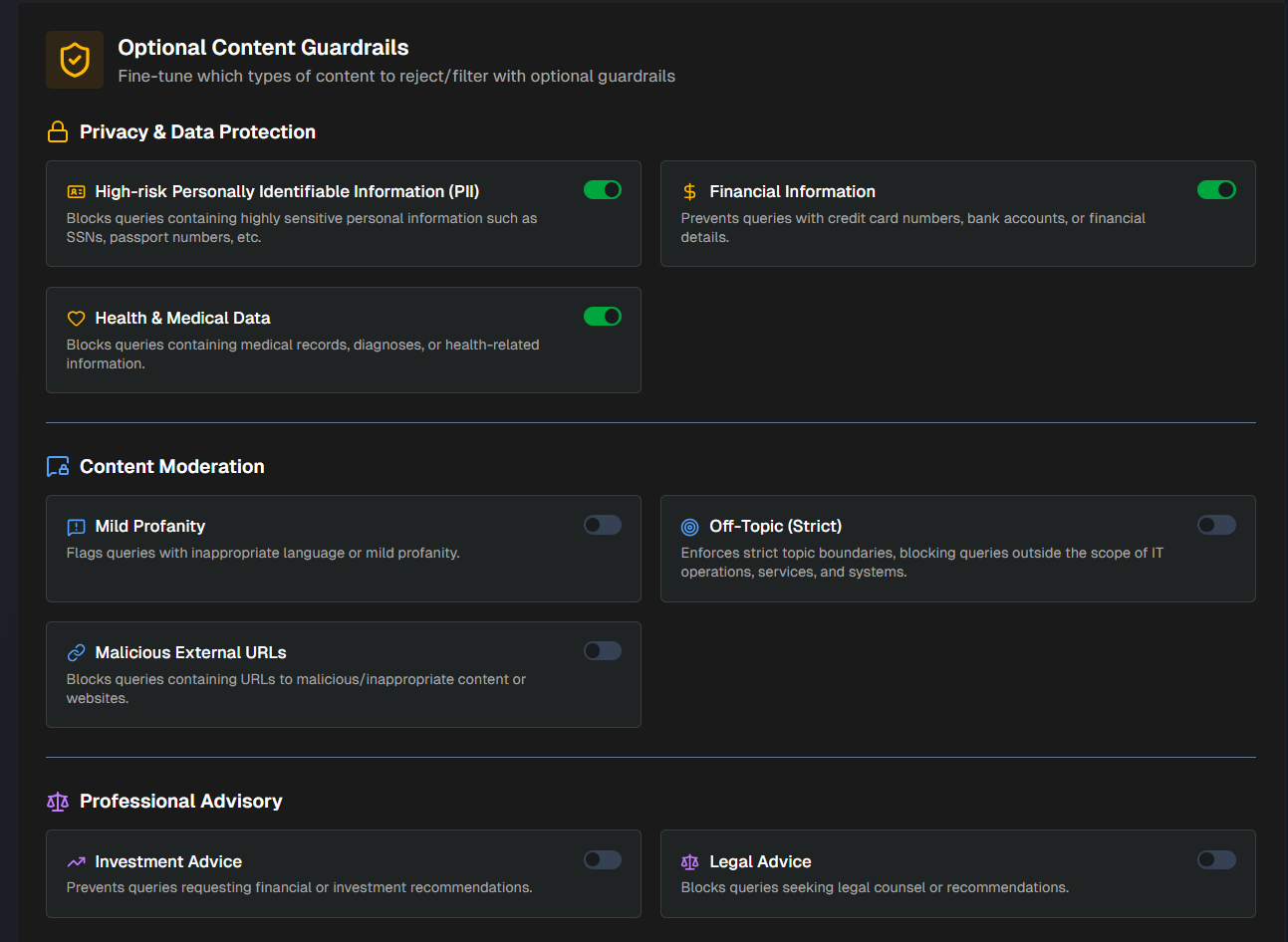
Enable or disable any of the following:
Privacy and Data Protection
Guardrail | Blocks queries containing |
|---|---|
High-risk Personally Identifiable Information (PII) | Highly sensitive personal information such as social security numbers, passport numbers, etc. |
Financial Information | Credit card numbers, bank accounts, or financial details. |
Health & Medical Data | Medical records, diagnoses, or health-related information. |
Content Moderation
Guardrail | Blocks queries containing |
|---|---|
Mild Profanity | Inappropriate language or mild profanity. |
Off-Topic (Strict) | Topics outside the scope of IT operations, services, and systems. |
Malicious External URLs | URLs to malicious/inappropriate content or websites. |
Professional Advisory
Guardrail | Blocks queries containing |
|---|---|
Investment Advice | Requests for financial or investment recommendations. |
Legal Advice | Requests seeking legal counsel or recommendations. |