Guardrail Violations
.
Guardrail Violations
If your organization has enabled Guardrails, use the Guardrail Violations page to monitor blocked queries and assess the effectiveness of the content filter.
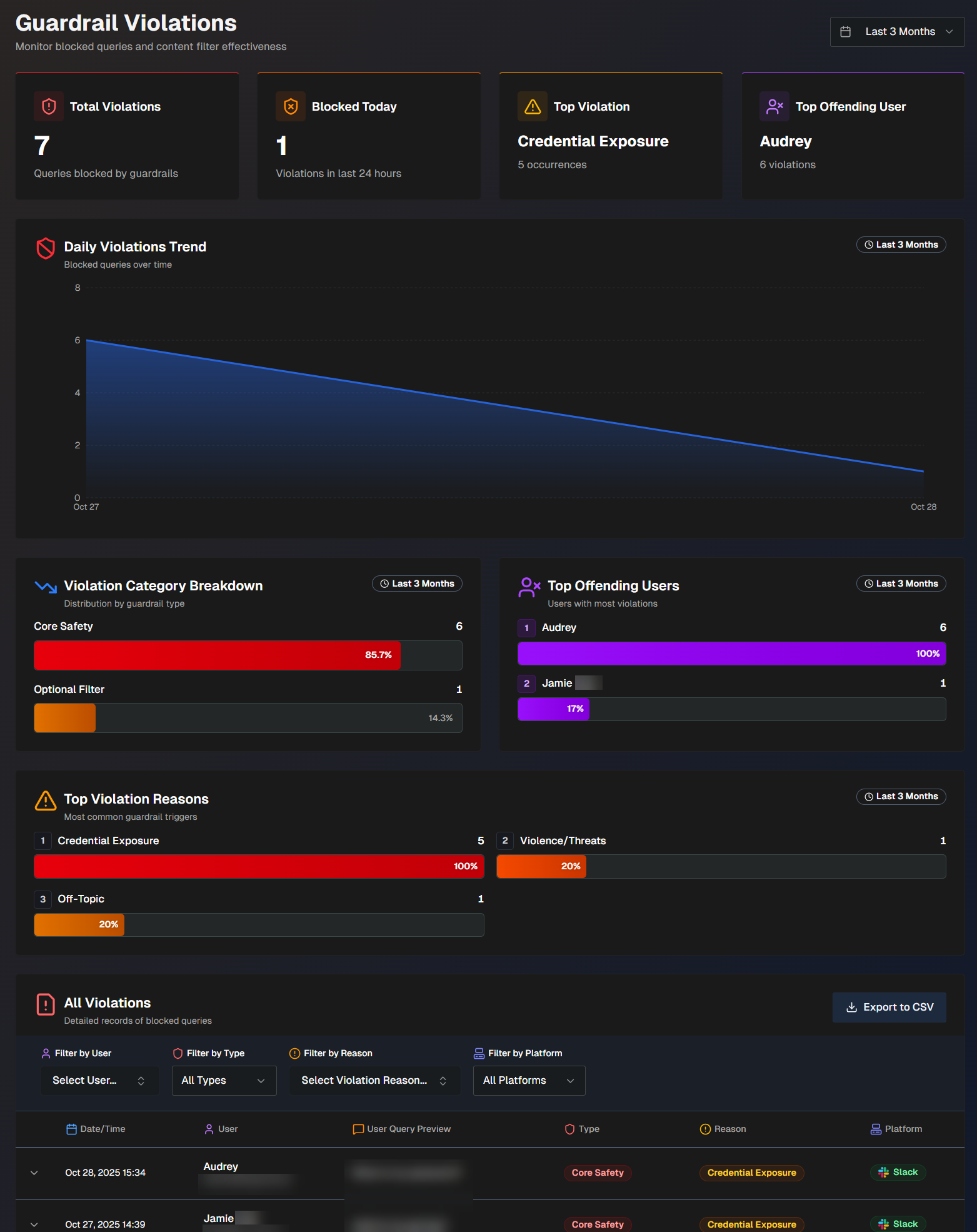
Use the drop-down menu at the top right of the screen to adjust the selected time period.
The following report widgets are available in the Guardrail Violations section:
Widget | Description |
|---|---|
Total Violations | Number of queries that were blocked by guardrails. |
Blocked Today | Number of queries that were blocked by guardrails today. |
Top Violation | The guardrail policy that has the highest number of policy violations associated with it. |
Top Offending User | The user who has the highest number of guardrail violations. |
Daily Violations Trend | A graph displaying the number of queries blocked by guardrails, over time. Hover over a specific day on the graph to view the number of blocked queries on that date. |
Violation Category Breakdown | The number and percentage of violations by each high-level guardrail category. (Core safety, Custom, Optional) |
Top Offending Users | List of users with the most guardrail violations. Hover over a user to view their total number of violations and their most common guardrail violation category. |
Top Violation Reasons | The most common reasons guardrails were triggered, and the number of times each reason occurred. |
All Violations | Detailed records of all queries blocked by guardrails. The following information about each blocked query is available in the list:
Click any query in the list to view additional information. The following appears in the full details:
You can filter the list by User, Type of violation, Reason for the violation, or Platform (Slack, Teams, or Biggy Web Chat). To view the report in CSV format, click Export to CSV. |